


The conversation around AI in web development has moved past hype. The question is no longer whether AI belongs in a developer’s workflow, but where it fits and how to use it without sacrificing the quality, performance, and craftsmanship that separate a good site from a forgettable one.
At Launch Nest Studio, we build and optimise websites every day, and AI has quietly become one of the most useful tools on the workbench. Not a replacement for skill, but a multiplier for it. This post breaks down practical, real-world ways developers can use AI to ship faster and build better, with examples drawn from how we actually work across our web design and development services.
And if you’re on WordPress.com, there’s a genuinely useful free video course at the end of this post that’s worth your time.
Why AI Belongs in a Developer’s Toolkit
The best developers have always been pragmatic about tooling. They reach for linters, frameworks, snippet libraries, and automation because those tools remove friction from the parts of the job that don’t require deep thought, freeing up energy for the parts that do.
AI agents like Claude, ChatGPT, and coding tools like OpenAI Codex and Claude Code are an extension of that same instinct. Used well, they handle the repetitive scaffolding, surface ideas faster, and catch problems earlier. Used poorly, they produce bloated, generic, broken output that you spend more time fixing than you saved. The difference is entirely in how you apply them.
Here’s where AI earns its place.
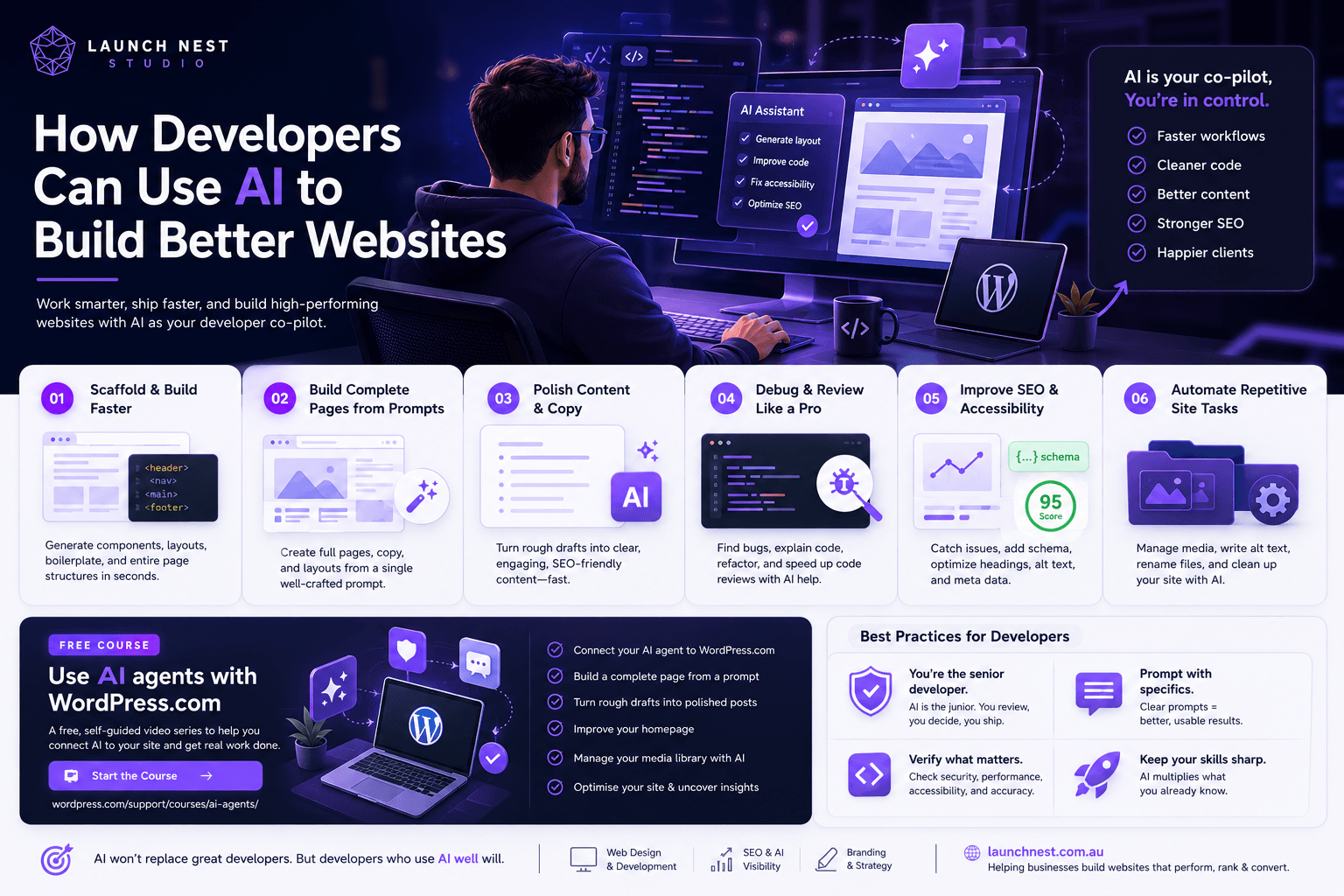
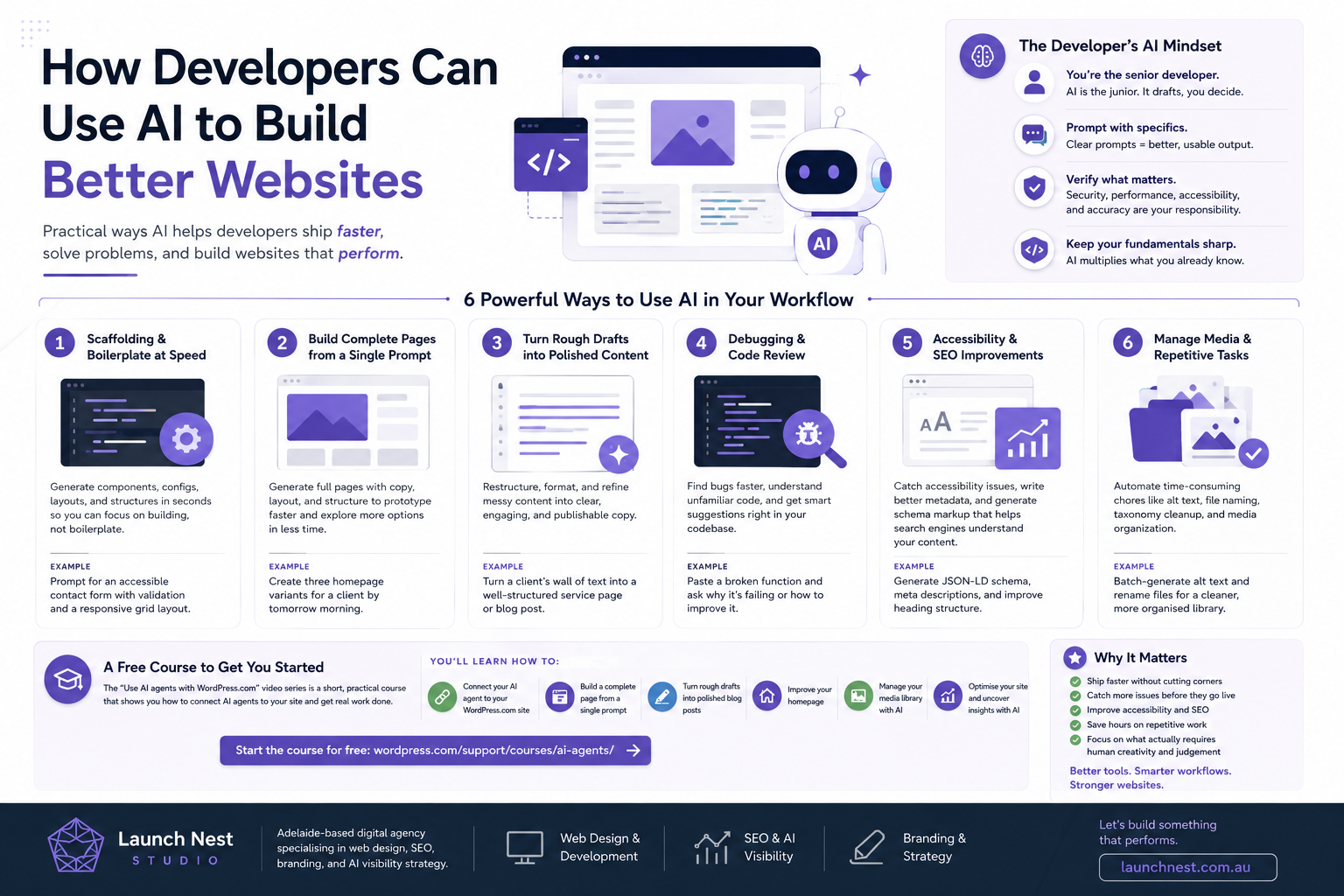
1. Scaffolding and Boilerplate at Speed
Every project starts with the same unglamorous setup: component structures, configuration files, schema markup, responsive grid layouts, and the dozens of small files that exist before any real work begins.
AI is exceptional at this. Describe the structure you want, and you get a working starting point in seconds rather than minutes or hours. A developer can prompt for a fully accessible navigation component, a contact form with proper validation, or a complete page template, then refine from there.
The key word is refine. Treat the first output as a draft, not a deliverable. You bring the judgement about performance, accessibility, and maintainability that the AI doesn’t have, the same judgement that goes into every site we build at Launch Nest.
2. Building Complete Pages From a Single Prompt
This is where modern AI agents have genuinely changed the workflow. On platforms like WordPress.com, you can connect an AI agent directly to your site and generate an entire page, copy, layout, and structure included, from one well-written prompt.
For developers, this is less about replacing design work and more about rapid prototyping. Need three layout options to show a client by tomorrow morning? Generate them, pick the strongest direction, then take over and polish it by hand. You skip the blank-canvas stage and spend your time on the parts that need a human eye.
3. Turning Rough Drafts Into Polished Content
Developers are often handed messy content: a wall of unformatted text from a client, notes from a stakeholder, or a rough outline that needs to become a real page. AI handles the heavy lifting of restructuring, tightening, and formatting that content into something publishable.
The same applies to blog posts and product descriptions. Feed in a rough draft and get back a cleaner, better-organised version that you can fact-check and adjust. It removes the editorial grunt work while keeping you in control of the final voice.
4. Debugging and Code Review
One of the most underrated uses of AI for developers is as a second pair of eyes. Paste in a function that’s misbehaving and ask why. Often the AI spots the off-by-one error, the missing dependency, or the logic flaw faster than you would scanning it cold. Tools like Claude Code and OpenAI Codex take this further, working directly inside your codebase from the command line.
It’s equally useful for the reverse: explaining unfamiliar code. Inherited a legacy codebase with no documentation? Ask the AI to walk through what a confusing block actually does. You still verify everything, but the starting point arrives much faster.
5. Accessibility and SEO Improvements
This is close to our heart at Launch Nest, and a core part of our SEO optimisation work. AI is a strong assistant for catching accessibility gaps, missing alt text, poor heading hierarchy, low-contrast combinations, and unlabelled form fields, and for generating structured data and schema markup that helps search engines understand your pages.
It won’t replace a proper audit, but it dramatically shortens the distance between “I should improve this” and “this is improved.” Use it to draft your meta descriptions, generate JSON-LD schema, and sanity-check your semantic HTML, then apply your own expertise on top.
6. Managing Media and Repetitive Site Tasks
The unglamorous maintenance work, organising a cluttered media library, batch-writing alt text, renaming files sensibly, cleaning up taxonomies, is exactly the kind of task AI agents now handle directly inside platforms like WordPress.com. For a developer juggling multiple client sites, automating these chores adds up to real hours saved every week.
The Right Way to Work With AI
A few principles we stand by:
You are the senior developer, the AI is the junior. It produces drafts. You make the decisions. Never ship AI output you haven’t reviewed and understood.
Prompt with specifics. “Make a button” gets you a generic button. “Make an accessible button component with a loading state, ARIA labels, and a disabled style that meets WCAG AA contrast” gets you something usable. The quality of what you get back mirrors the quality of what you put in.
Verify everything that matters. Security, performance, accessibility, and factual accuracy are your responsibility, not the AI’s. Treat its confidence as a starting hypothesis, not a guarantee.
Keep your fundamentals sharp. AI is a force multiplier for what you already know. Developers who understand why code works will always get more out of these tools than those who lean on them to avoid learning.
A Free Course Worth Your Time
If you’re working on WordPress.com, there’s a free, self-guided video series called “Use AI agents with WordPress.com” that we genuinely recommend. It’s a short, practical course that walks you through connecting an AI agent to your site and using it for real tasks.
The series covers how to:
- Connect your AI agent (Claude, ChatGPT, or your preferred agent) to your WordPress.com site
- Build a complete page from a single prompt
- Turn a rough draft into a polished blog post
- Improve your site’s homepage
- Manage your media library with AI
- Optimise your site and uncover insights with AI
The lessons are bite-sized, self-paced, and free, with no fluff. Whether you’re just getting started or want to squeeze more out of the platform, it’s a solid hour well spent.
Start the course here: Use AI agents with WordPress.com
Final Thoughts
AI isn’t going to replace good developers. But developers who learn to wield it well are already pulling ahead, shipping faster, catching more, and spending their best energy on the work that actually requires craft. The tools are here, they’re accessible, and the learning curve is short.
Start small. Pick one task from this list, try it on your next project, and build from there. And if you want a guided way in, that free WordPress.com course is the perfect first step.
Launch Nest Studio is an Adelaide-based digital agency specialising in web design, SEO, branding, and AI visibility strategy. We help businesses build websites that perform, rank, and convert. Get in touch to see how we can help yours, or explore our services to learn more.